
1 / 15
Mini-game
Word Hunt
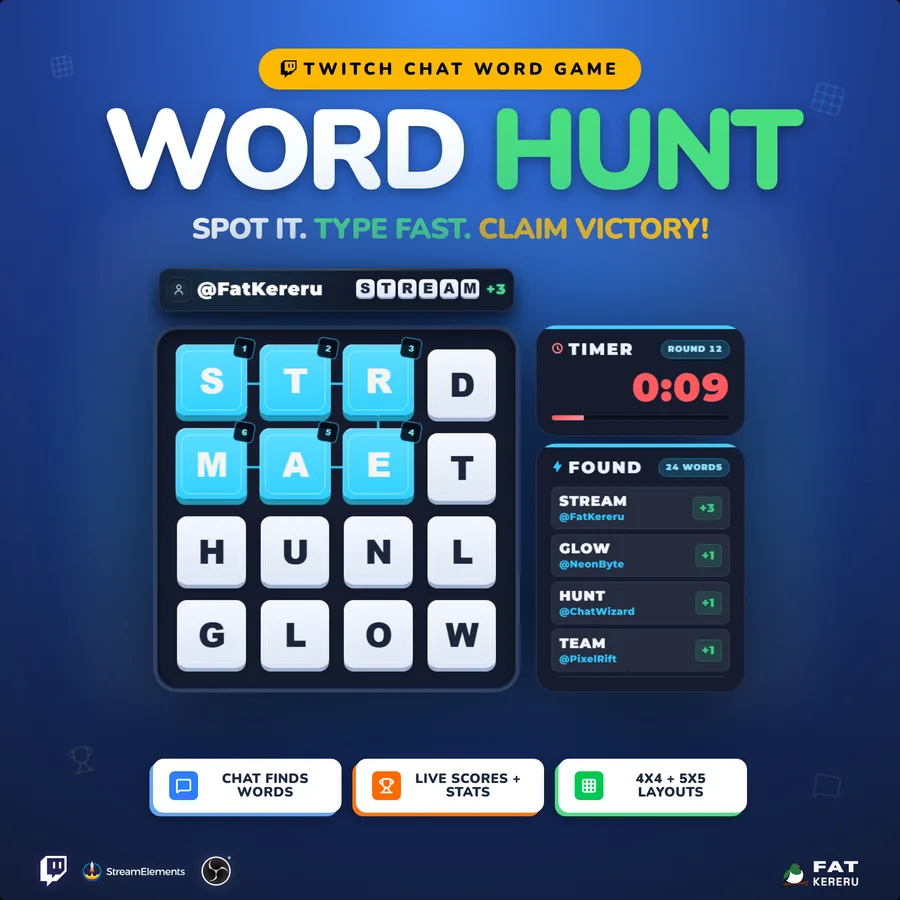
A live Twitch word-search game where viewers find connected words directly from chat.
Easy Install adds the overlay to your StreamElements account. Then customise it to suit your stream.
What it doesv1.4.2
Word Hunt is a live letter-grid game powered entirely by Twitch chat. Viewers trace connected letters, type the word they find, and see their score arrive immediately. There is no join step and no submission prefix—the board explains the game at a glance.
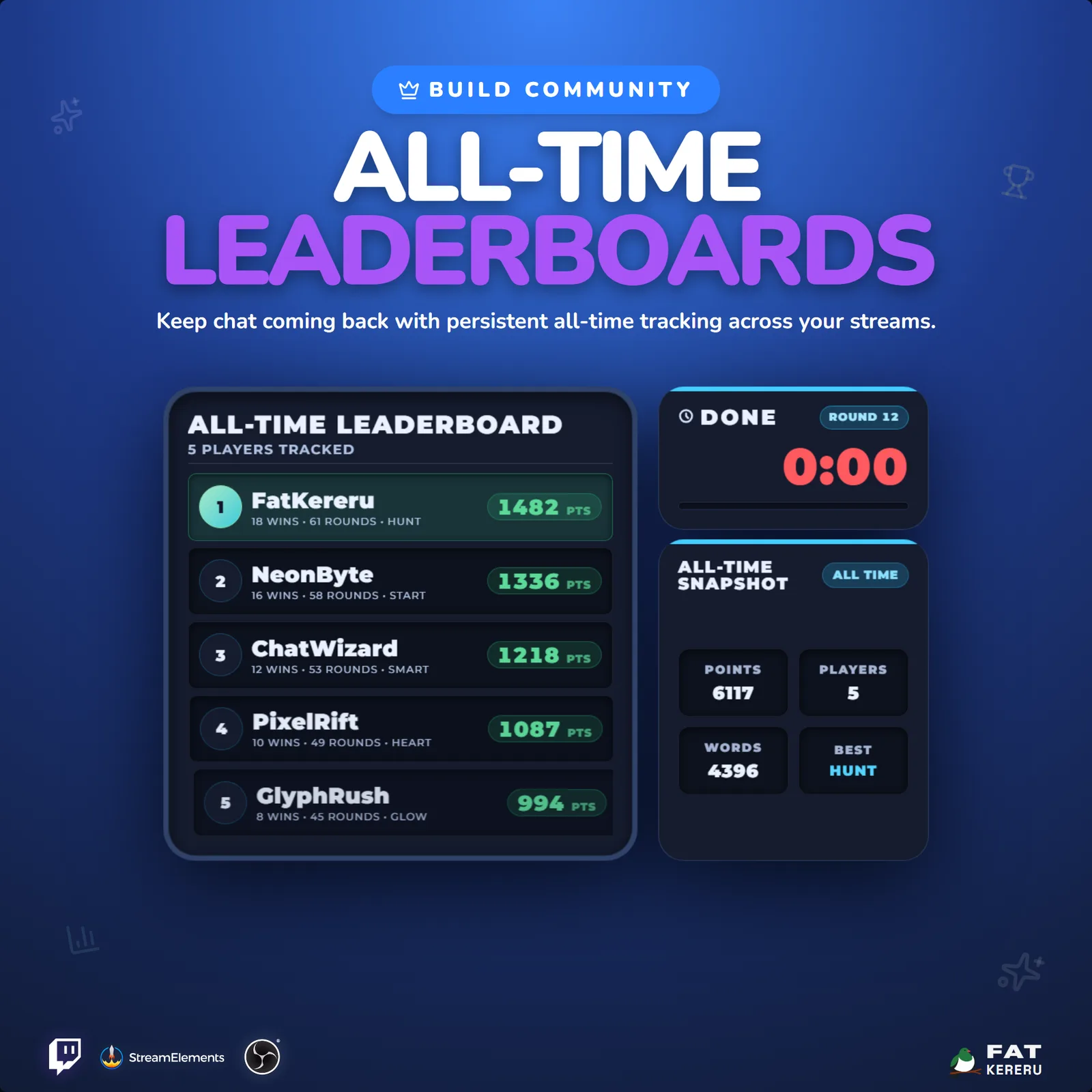
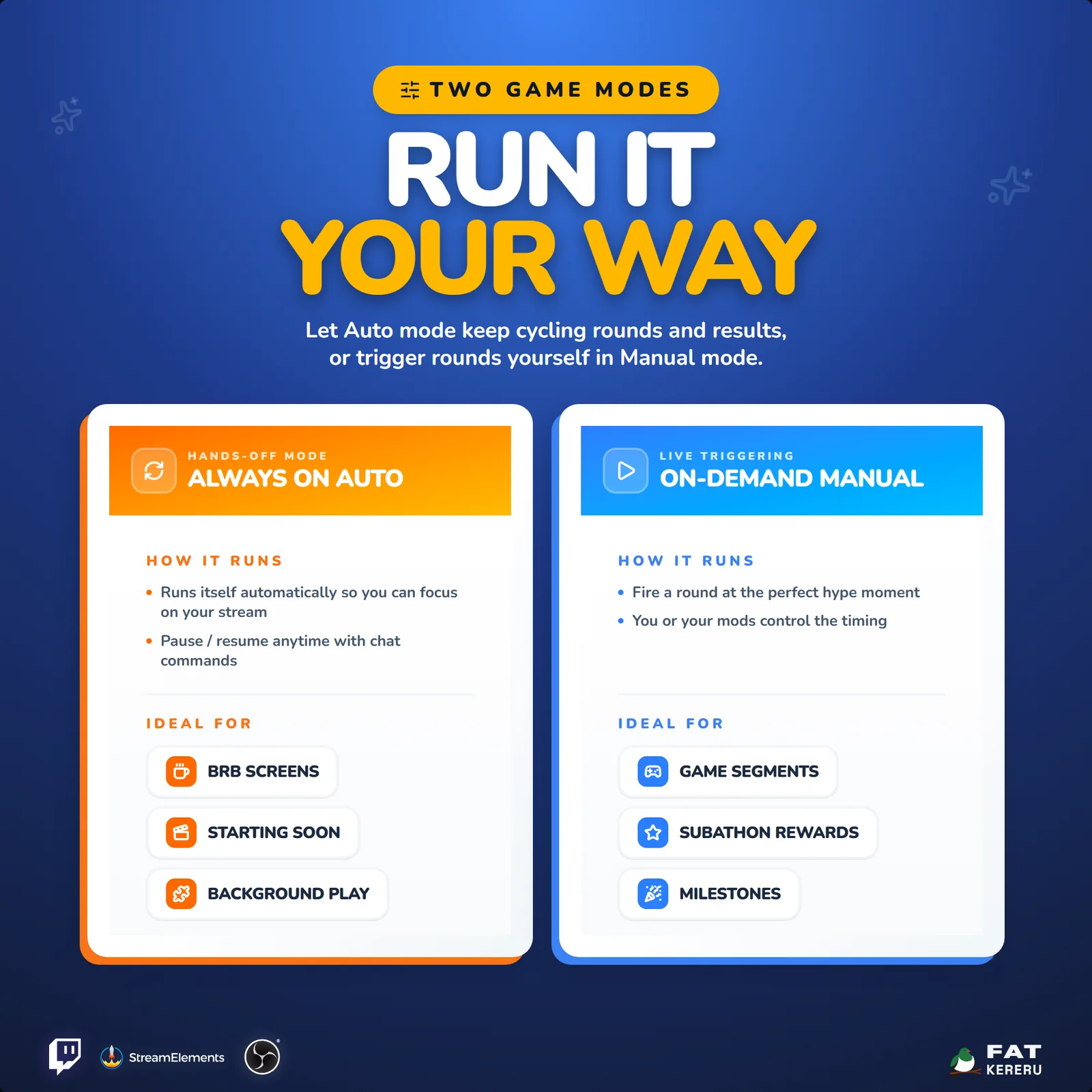
Rounds can run automatically during starting-soon and break scenes or be controlled as a hosted segment. Scores feed a persistent all-time leaderboard, personal player cards, and round results, giving regulars a reason to return and newcomers an immediate way to participate.
How it works
- 01A letter board appears
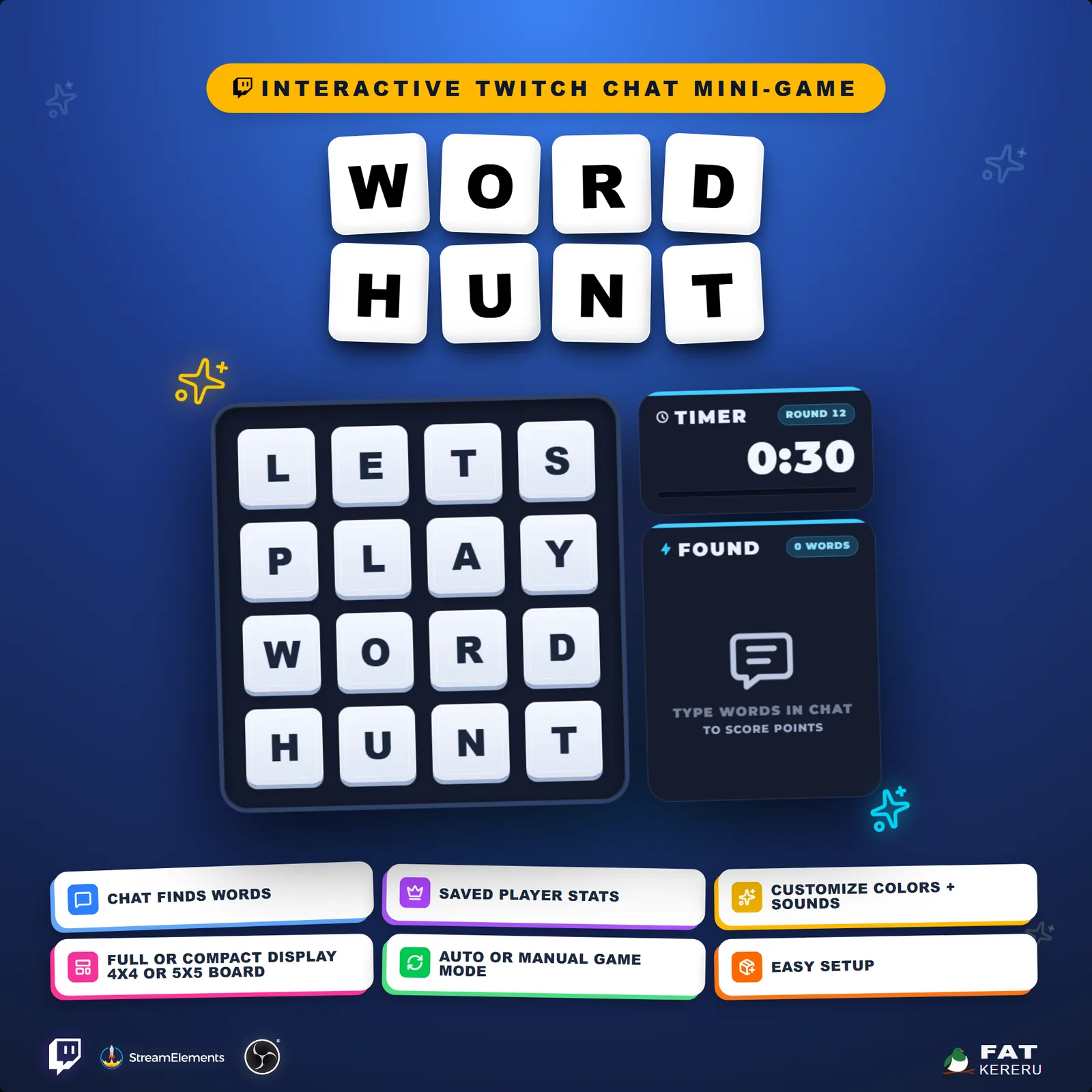
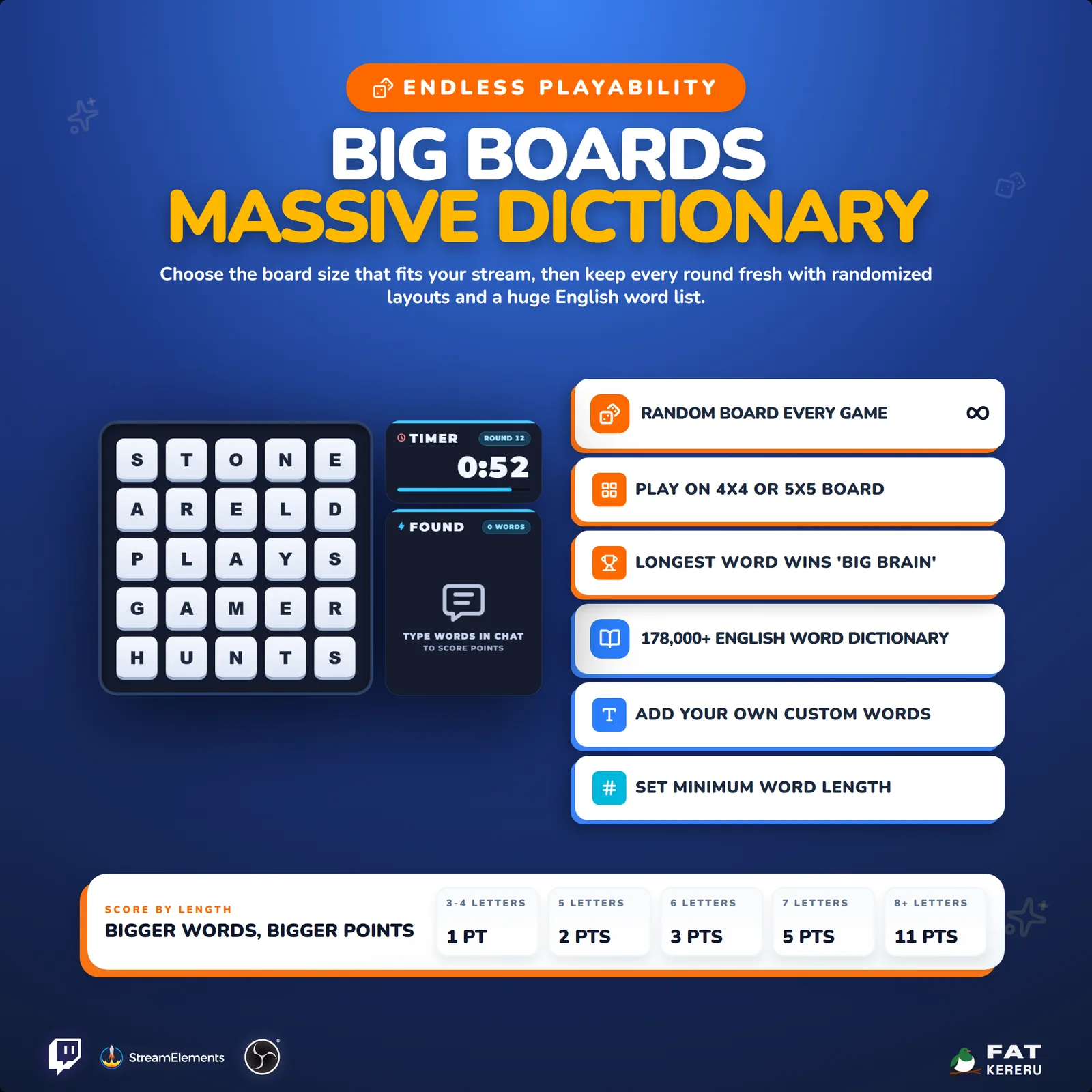
Choose a four-by-four or five-by-five board and start the round automatically or from the widget controls.
- 02Viewers find connected words
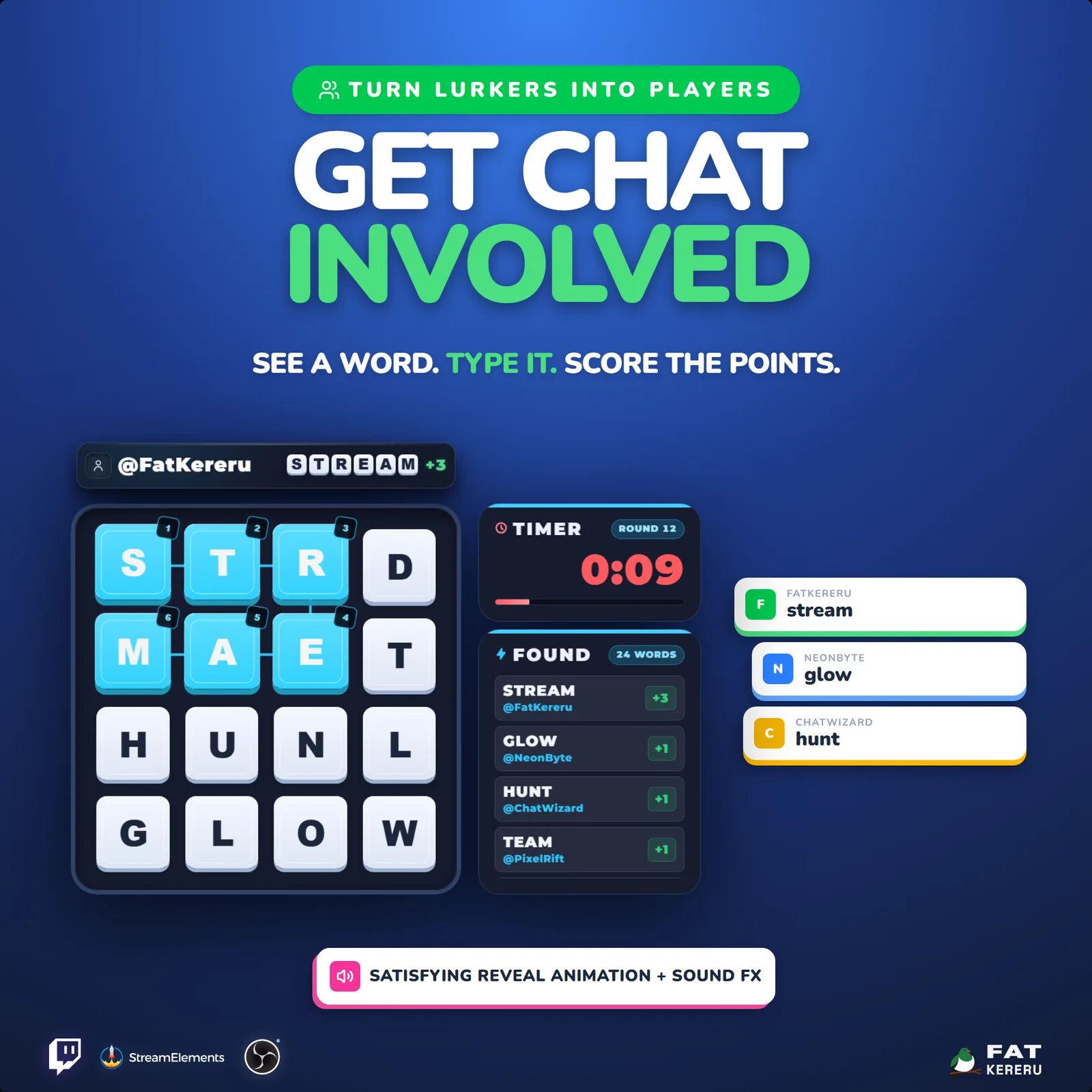
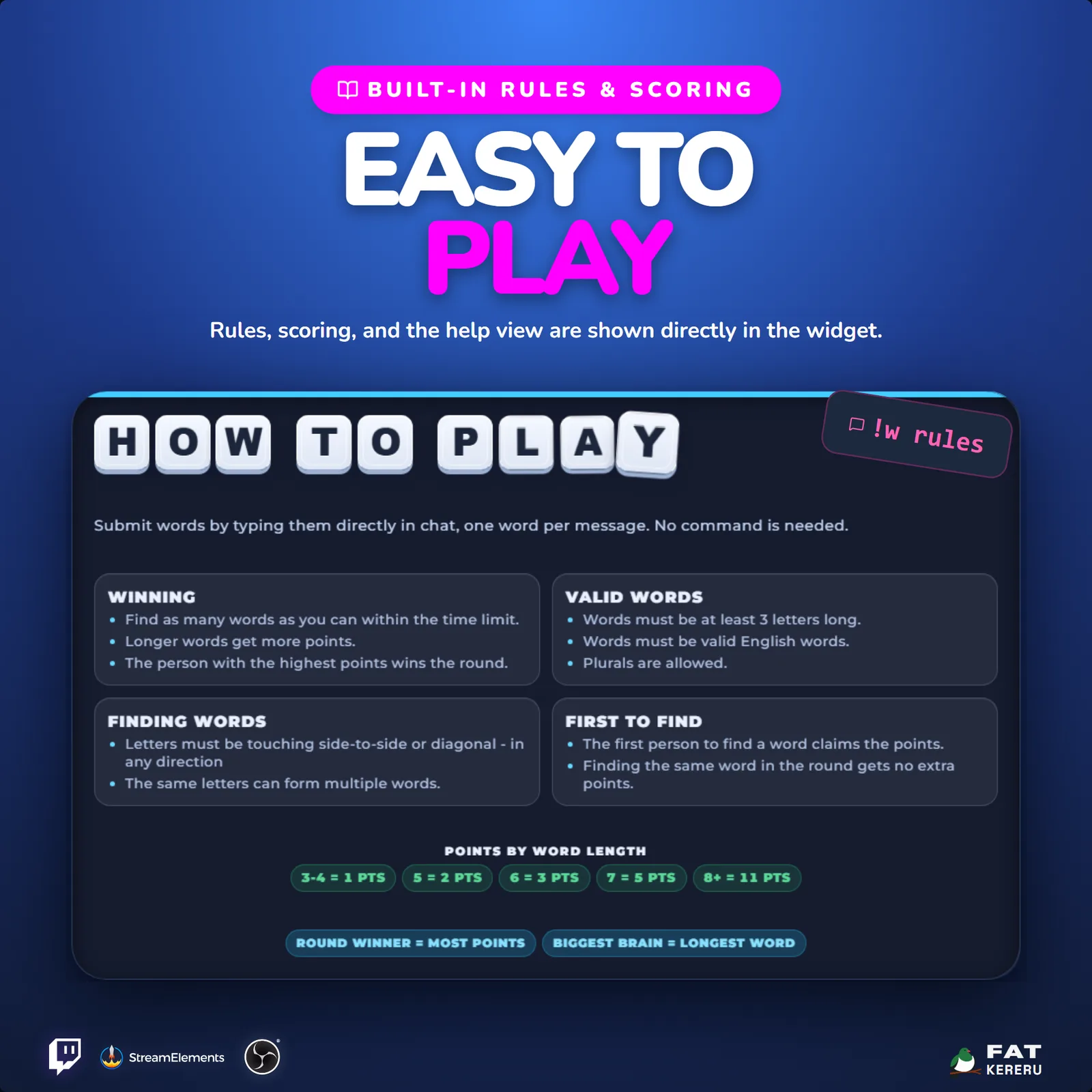
Anyone can type a word directly in Twitch chat with no join command or special prefix.
- 03Valid words score live
The first viewer to find each connected word owns it, while scores and remaining time update on screen.
- 04The round reveals the winners
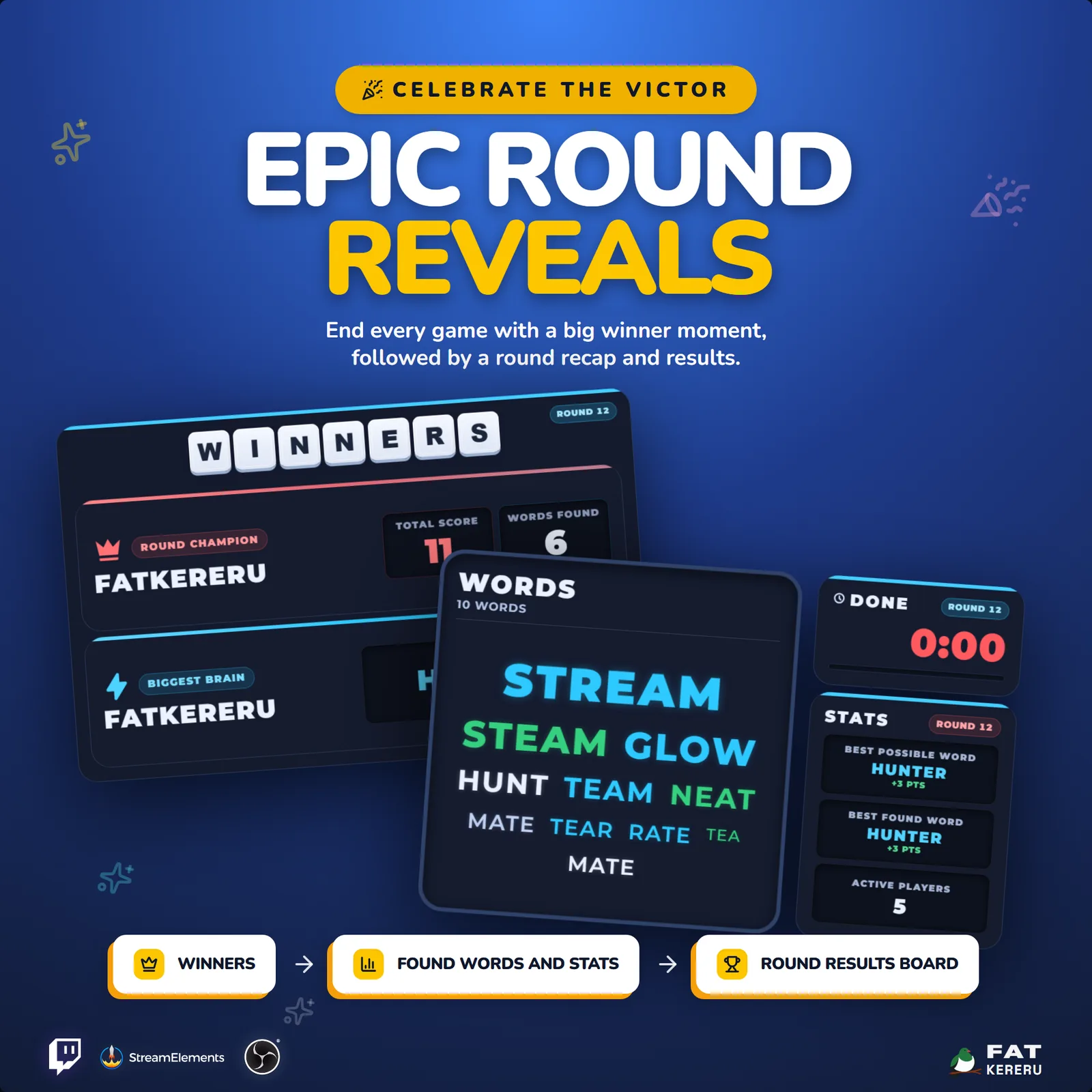
Results, found words, player cards, and optional all-time standings appear before the next round begins.
Works with
- Twitch
- StreamElements
- Any streaming software with browser source



Features
- Four-by-four and five-by-five letter boards
- Zero-friction guesses typed directly into Twitch chat
- Real-time scoring with first-to-find word ownership
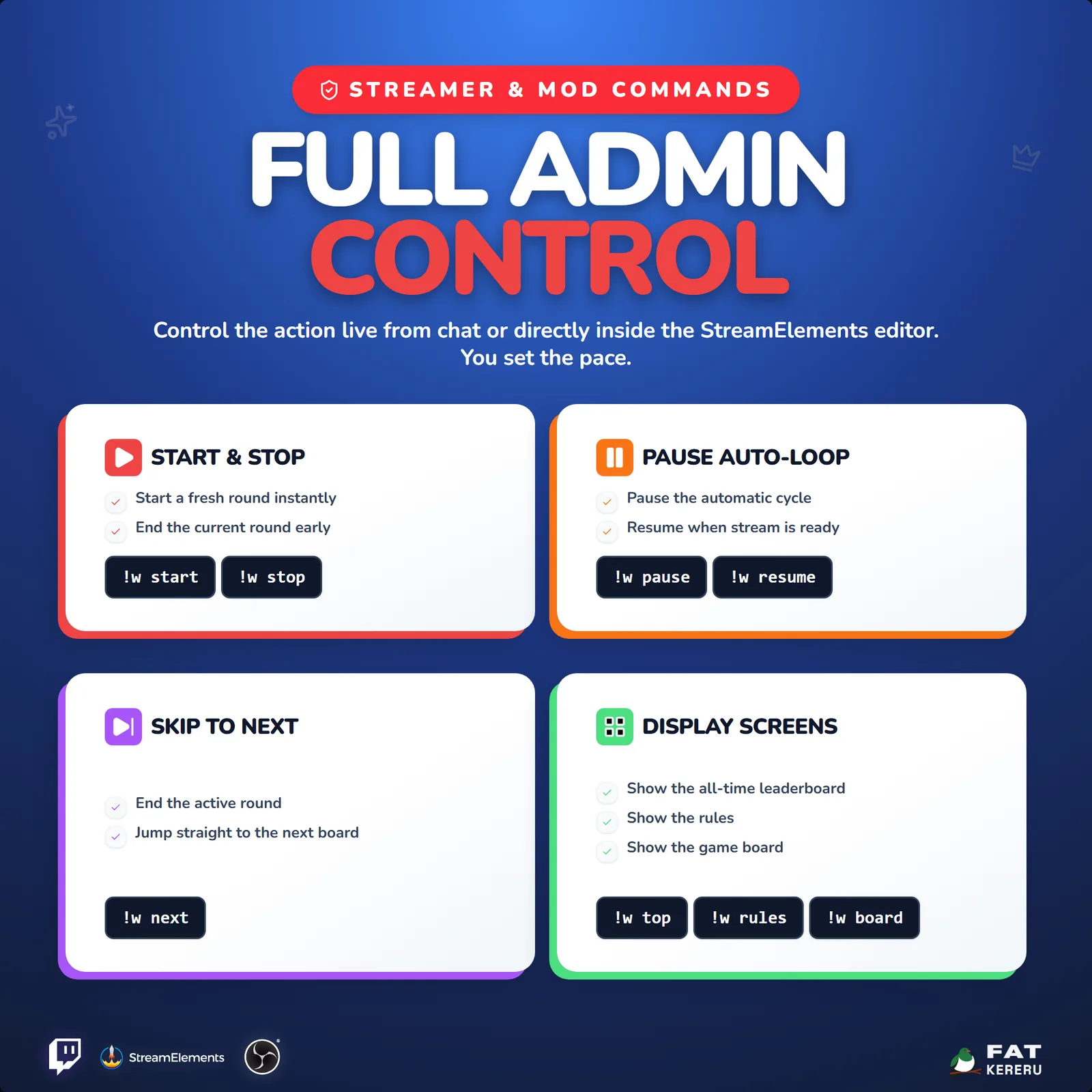
- Automatic rounds or broadcaster and moderator controls
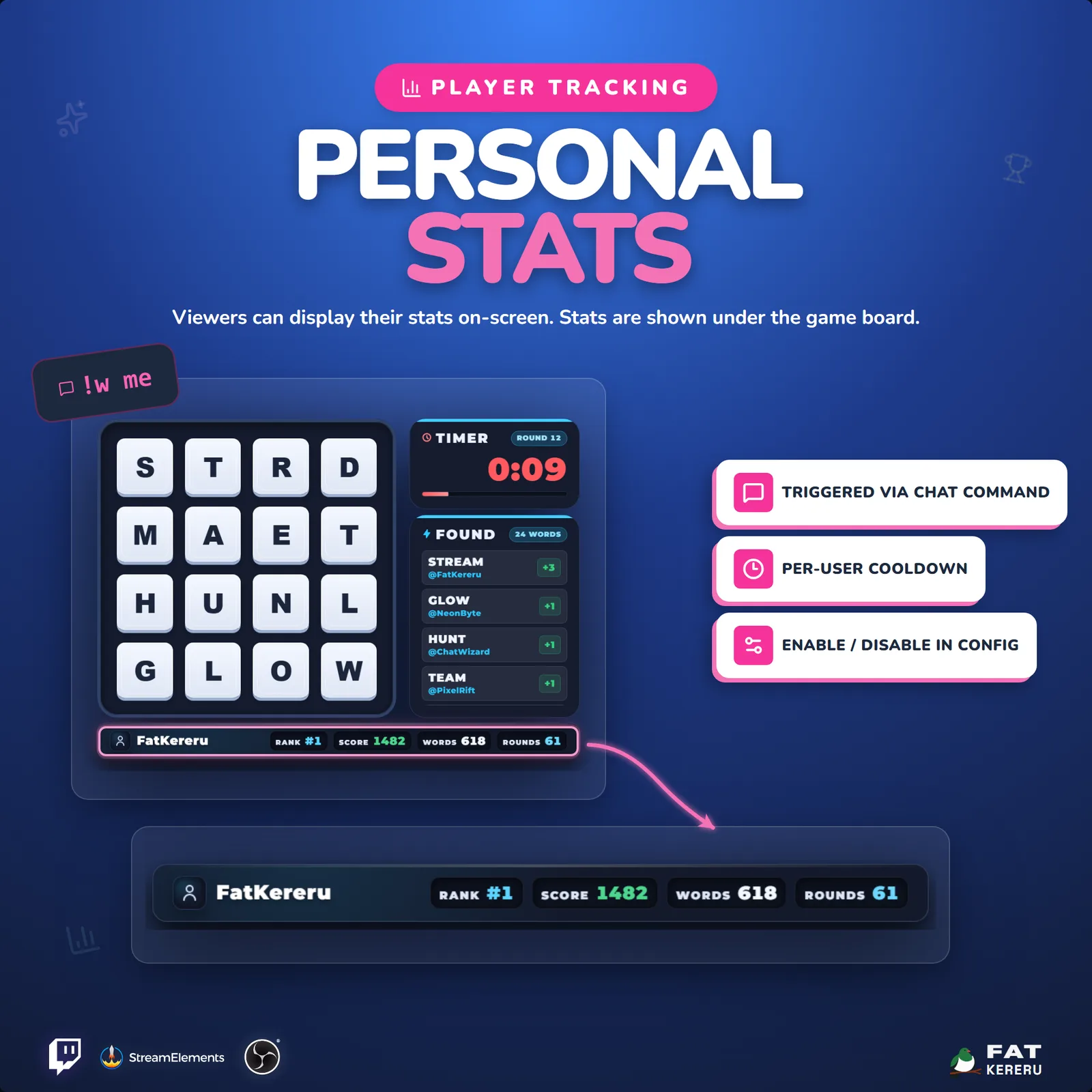
- Persistent all-time leaderboard and personal player stats
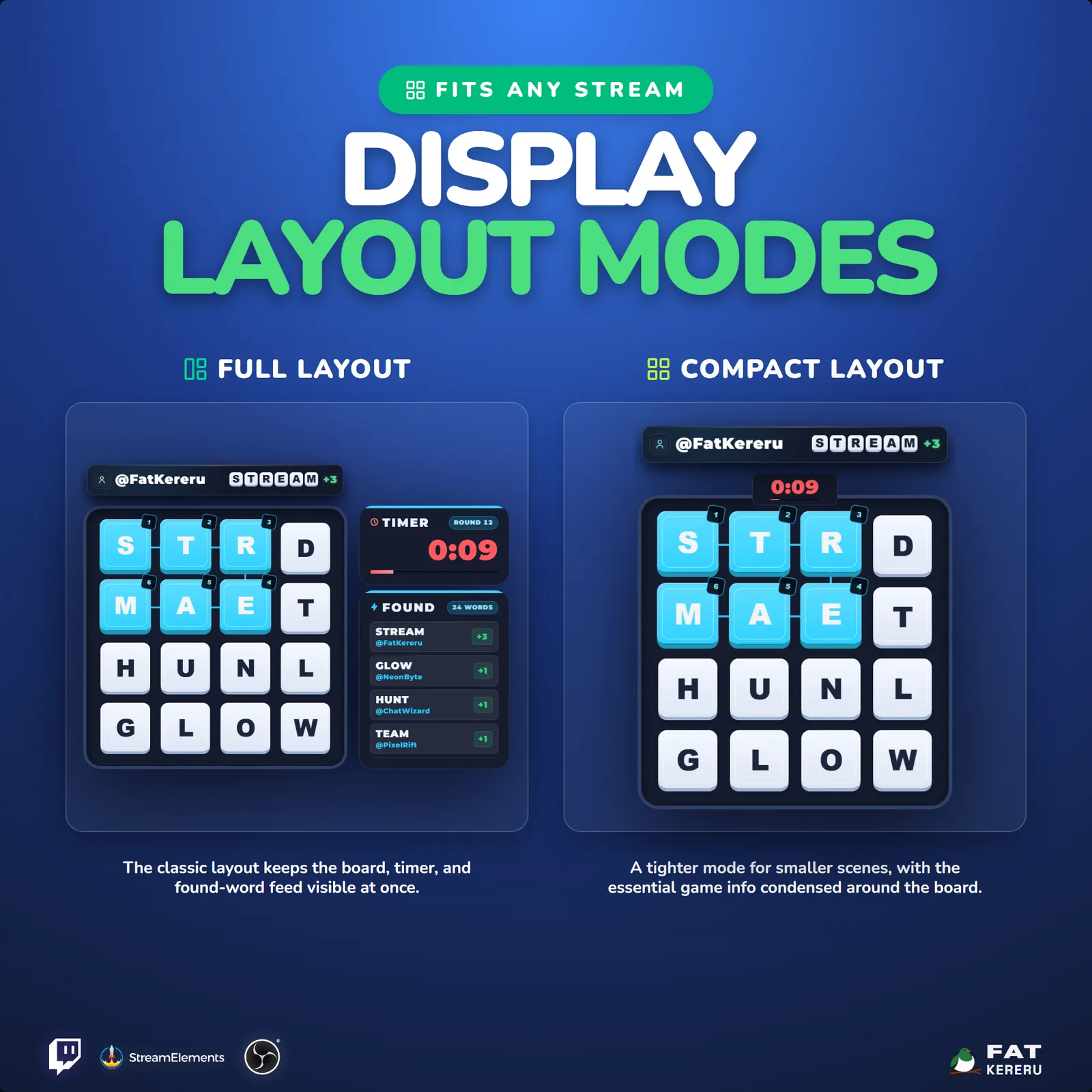
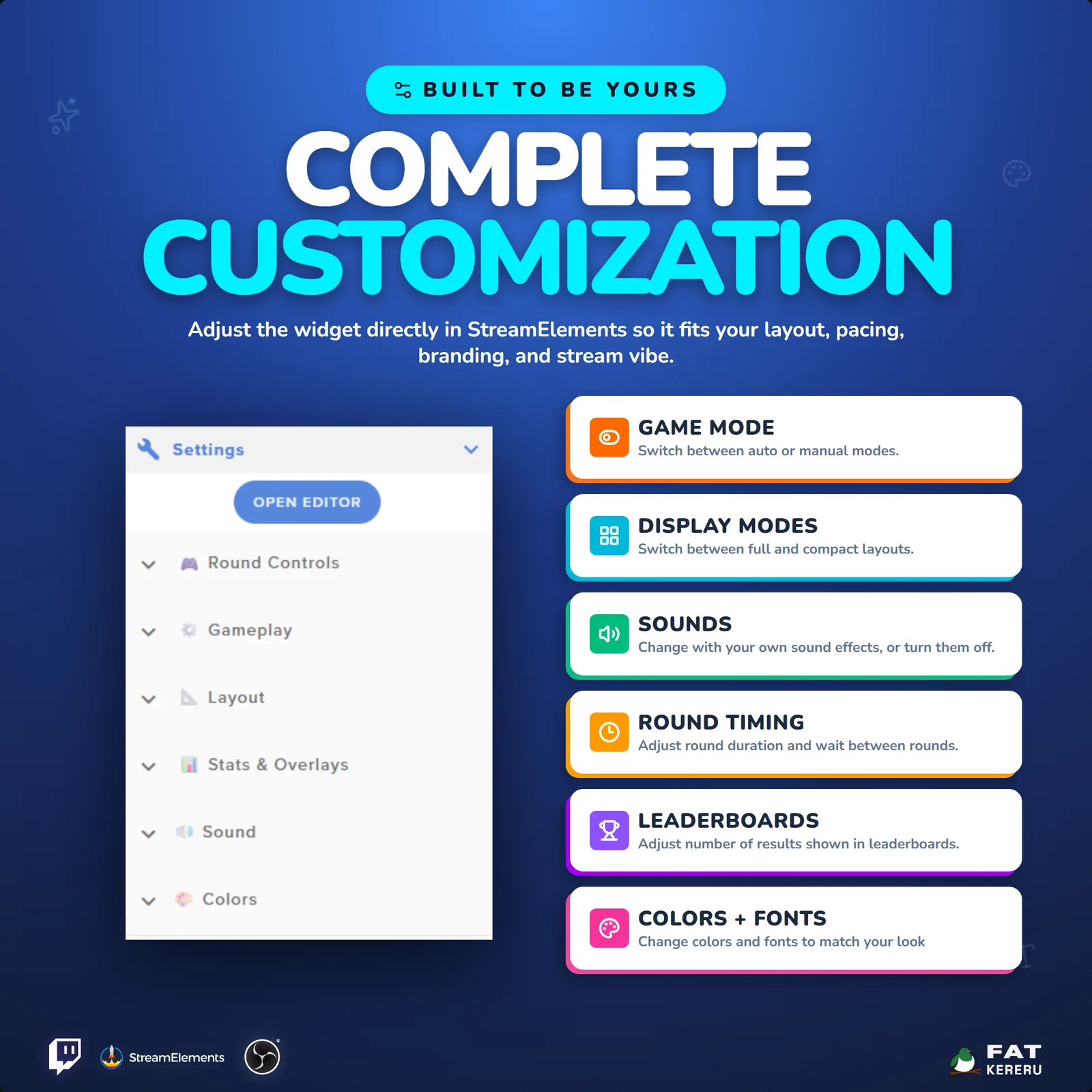
- Full and compact layouts for different scenes
- On-demand two-page visual rules explainer
- Custom dictionary entries for channel words and inside jokes
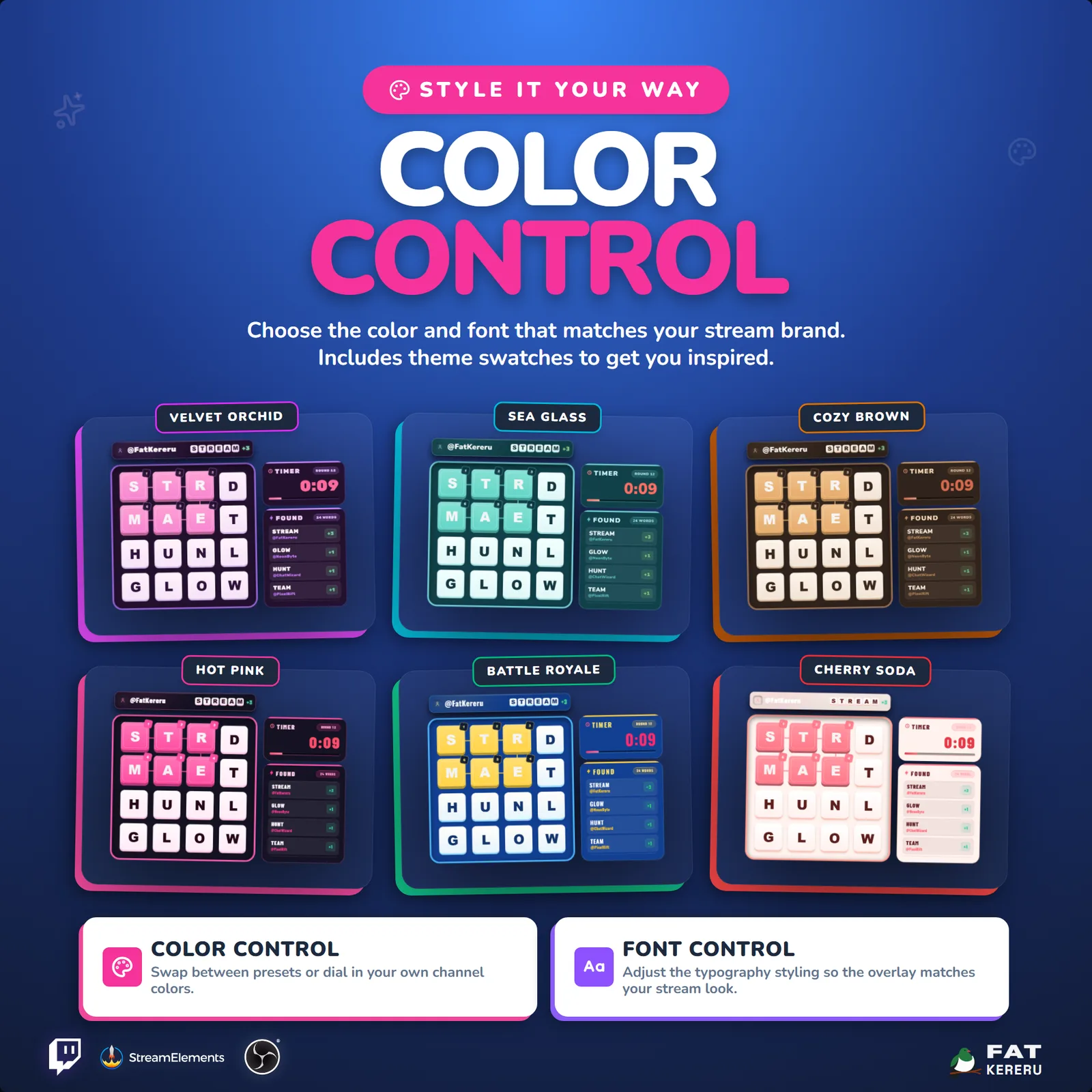
- Themes, fonts, sound slots, and recovery backups
What you get
The product package includes everything needed to install, customize and keep the widget running.
- Quick Start HTML
Local start page with links to the installer and current online user guide.
- Easy install
Add the widget to your StreamElements account.
- Theme presets
Color values for each bundled theme.
- Theme swatches
Clickable theme color swatches and previews.
- Theme previews
Preview images for the bundled themes.
- Included sounds
The default sound files.
- Backup and restore tool
Back up and restore all-time statistics.
Settings
These are the controls you’ll find in StreamElements. Everything is adjusted with simple fields, switches, color pickers and dropdowns.
All-Time Stats3 settings
- Save Stats Between Streams
- Round Number Display Source
- Allow Viewers To Check Stats (!w stats / !w me)
Gameplay9 settings
- Round Duration (seconds)
- Next Round Countdown (seconds)
- Round Control Mode
- Auto Start First Round On Load (Auto mode only)
- Minimum Word Length
- Custom Dictionary Words (separate with spaces)
- Chat Command Prefix
- Ignored Chat Usernames (comma separated)
- Restrict Control Commands to Mod/Streamer
Layout3 settings
- Grid Size
- Global Font
- Layout Mode
Results & Overlays4 settings
- Show All-Time Leaders Between Rounds (Auto mode only)
- Enable Winner Confetti
- Leaderboard Results Shown
- Leaderboard / Rules Page Duration
Sound7 settings
- Enable Sound Effects
- Sound Volume
- Round Start Sound
- Running Out Sound
- Word Found Sound
- Round End Sound
- Winner Reveal Sound
Colors15 settings
- Panel Background
- Rules & Winners Background
- Accent Color
- Grid Tile Background
- Grid Tile Text
- Grid Tile Border
- Word Reveal Color
- Reveal Step Badge Background
- Reveal Step Badge Text
- Timer Text
- Warning Color
- Main Text
- Secondary Text
- Word Feed Text
- Score Highlight